

Use Framefields to segment a dancer and add a translucent blue overlay that moves with her, while keeping the background visible.
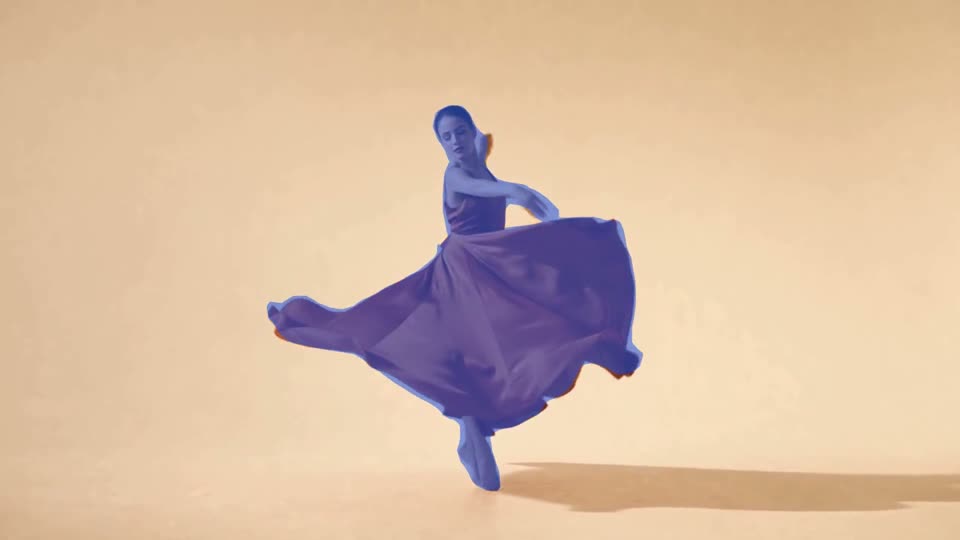
The blue overlay follows the dancer and her dress as she turns. The video has no audio. Open the MP4 or view a still frame.
Segment the dancer
Section titled “Segment the dancer”This example uses Framefields 2.6.2 and a three-second clip at assets/footage/person.mp4. Start with a Framefields project, create an output directory, and adjust the dimensions and duration to match your clip.
import { Composition, Layer } from "framefields";
const comp = new Composition({  width: 1920,  height: 1080,  fps: 30,  durationMs: 3000,  backgroundColor: "#000000",});
// Both copies need the same size and fit so the matte lines up with the footage.const video = () => Layer.video("assets/footage/person.mp4", {  position: "absolute", x: 0, y: 0,  width: 1920, height: 1080, fit: "cover", muted: true,});
comp.add(video());
const personMatte = video().withVision({  mode: "matte",  enableSegmentation: true,  classes: ["person"],});
comp.add(  Layer.box({    position: "absolute", x: 0, y: 0,    width: 1920, height: 1080,    background: "#1458ed", opacity: 0.55,  }).withMatte(personMatte),);
console.log(comp.lint());await comp.renderVideo({ outputPath: "output/segmented.mp4" });
The first video is the untouched footage. The second is used as a matte, so it isn’t drawn as another visible copy. It limits the blue box to the detected subject. Change the box color or opacity to try a different look.
Check the edges
Section titled “Check the edges”Segmentation can miss hands or loose fabric, and the matte can spill onto the background. Watch the full clip, especially around fast movements and objects crossing in front of the subject. In this example, you can see some edge lag as the dress moves.
Render-time vision uses the previous rendered frame, so frame 0 has no segmentation result. renderVideo processes frames in order. For stills, render at least two consecutive frames with the same renderer and inspect the last one. A frame grid jumps around and can give misleading results for vision layers. The vision guide has more on timing.
Models download on first use and inference takes resources. Framefields uses WebGPU when available and can fall back to CPU. See the vision guide for model options, masks and other ways to use them.