

A spinning product and a title: a small scene, but a useful starting point for a launch video. With Framefields, you can put a 3D model and 2D text in the same composition and describe the animation in TypeScript.
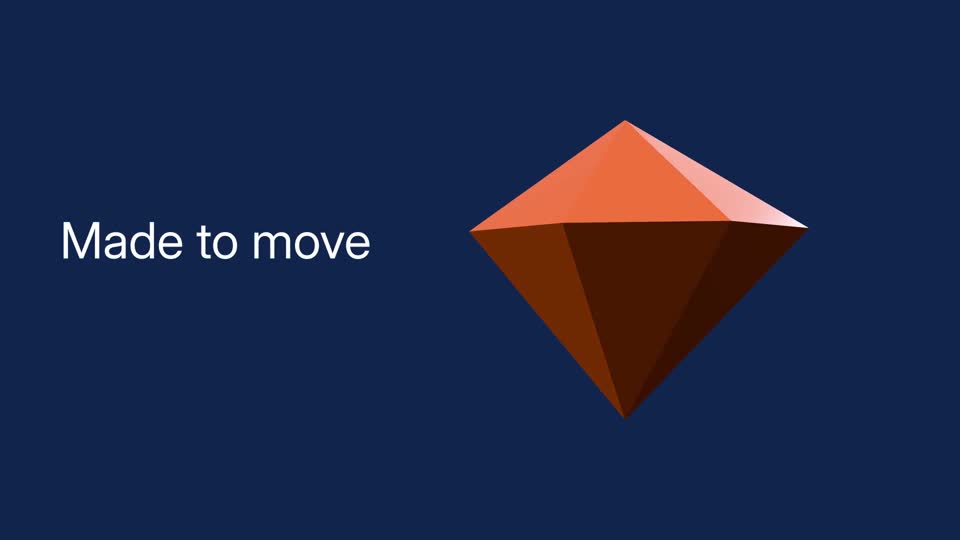
The finished scene uses a simple faceted gem as the model. An orange faceted 3D gem turns beside the title “Made to move” on a dark blue background. The video has no audio. Open the MP4 or view a still frame.
Build the scene
Section titled “Build the scene”This example uses Framefields 2.6.2, a GLB model at assets/models/product.glb, and a font at assets/fonts/Inter.ttf. Use a model you have permission to publish. Model dimensions vary, so expect to adjust the position and scale for yours.
import { Composition, FontManager, Layer, LayerAnimation, Lighting } from "framefields";
await FontManager.register({ family: "Inter", source: "assets/fonts/Inter.ttf" });
const comp = new Composition({  width: 1920,  height: 1080,  fps: 30,  durationMs: 4000,  backgroundColor: "#102450",});
comp.add(Lighting.studio({ target: [960, 540, 0] }));
comp.add(  Layer.glb("assets/models/product.glb", {    x: 1250, y: 540, z: 0, scale: 2,  }).animate(    LayerAnimation.create().fromTo("rotateY", -20, 20, {      start: 0, end: 119, ease: "sine.inOut",    }),  ),);
comp.add(  Layer.text("Made to move", {    position: "absolute", x: 120, y: 420, width: 700, height: 180,    fontFamily: "Inter", fontSize: 100, fill: "#ffffff",  }).animate(LayerAnimation.create().fadeIn(0, 20, "power2.out")),);
console.log(comp.lint());await comp.renderVideo({ outputPath: "output/product.mp4" });
Create the output directory first. The lighting rig sets up an environment and lights; the model turns while the title fades in. If the model is tiny, enormous, or facing the wrong way, adjust its scale and rotation. 3D assets have a knack for arriving with their own ideas about size.
Check the scene before exporting
Section titled “Check the scene before exporting”Render a few frames first with comp.renderFrameGrid(). Check that the model stays in frame and that the title remains readable. You can also change the lighting rig or add bloom, but it’s worth getting the basic placement right first.
Framefields supports several model formats, including GLB, glTF, OBJ and FBX. The 3D guide lists the loaders and documents glTF material and skeletal animation support. Shadows have a constraint: only the first shadow-casting directional or spot light casts a shadow. The same guide covers lighting, bloom and other settings.
For setup and export options, start with getting started and rendering.