framefields for desktopmacOS and Linux
Make videos by asking for them.
Say what you want. An agent makes it on your computer while the film plays beside the conversation. Point at any moment, ask for a change, and export it ready to post.
Download framefields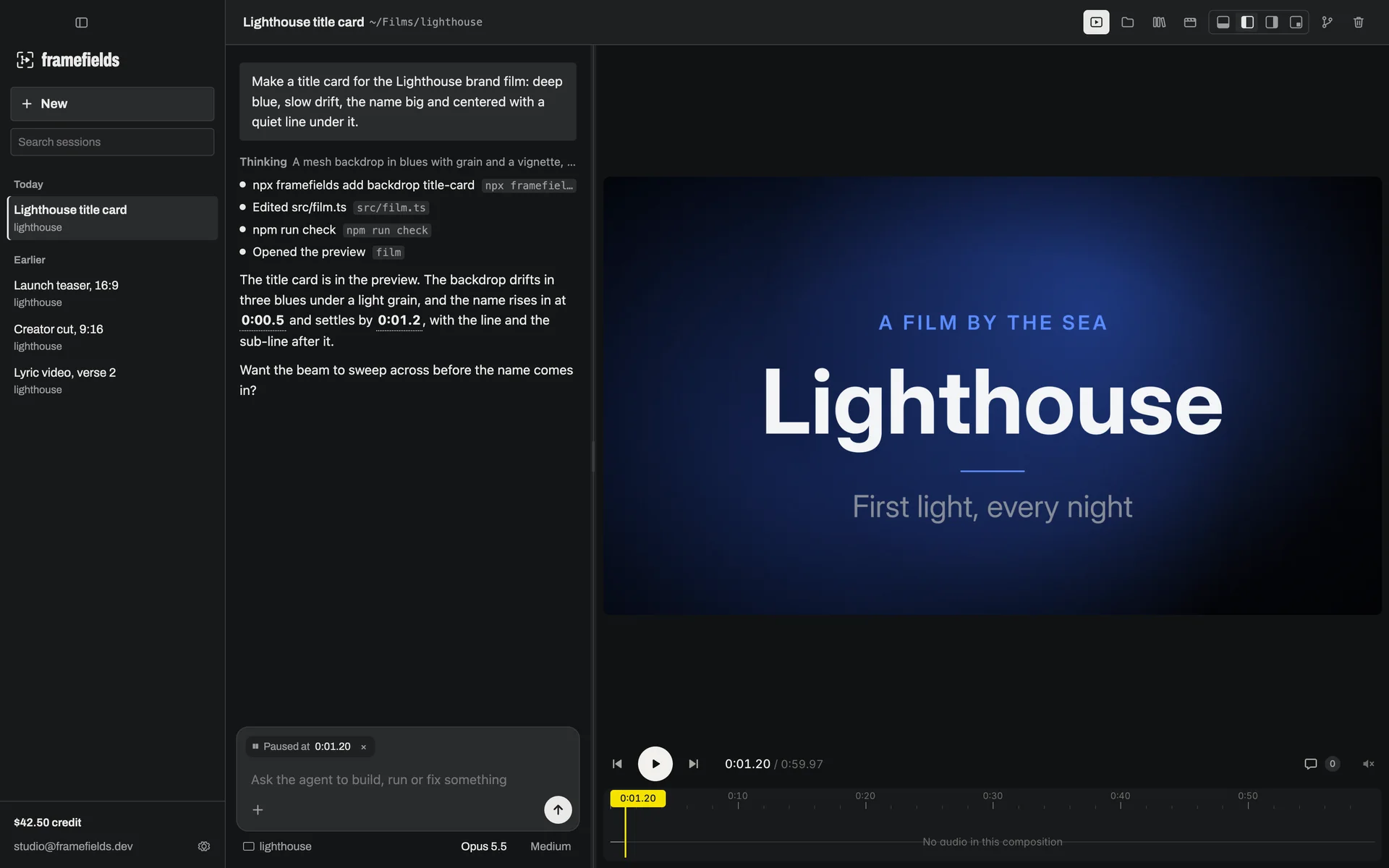
01
An agent that does the work, in the open.
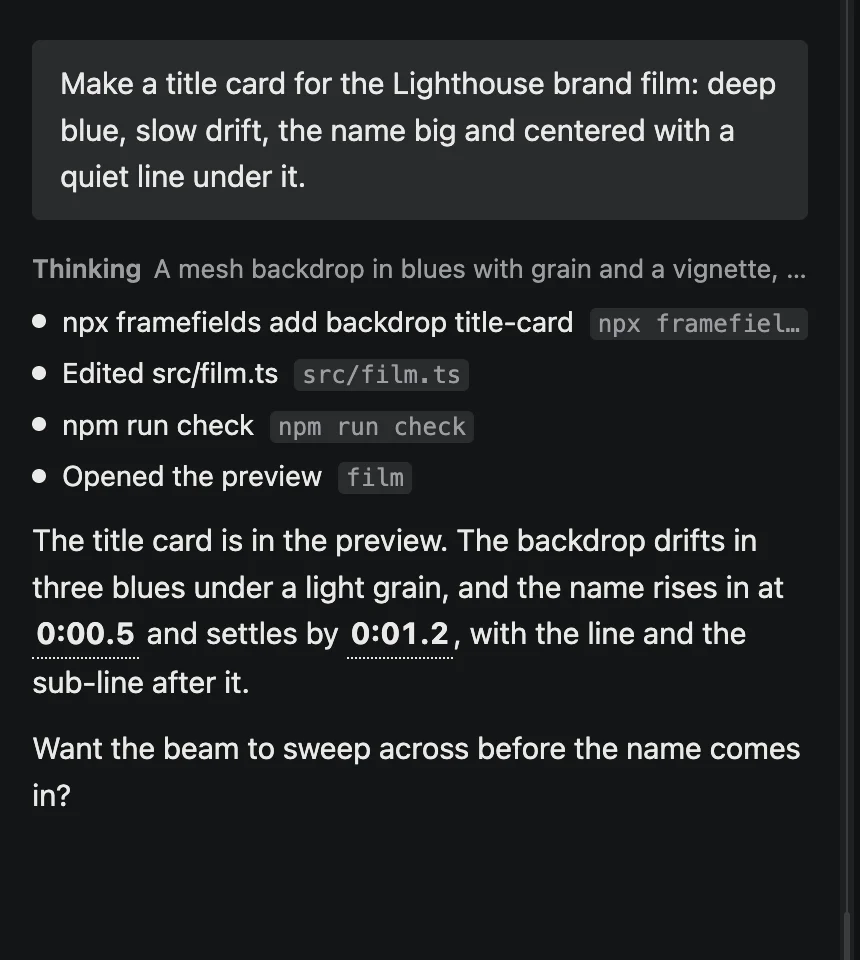
Ask in your own words. The agent writes the film, runs it, checks the frames and fixes what it finds. Every command it runs and every file it changes shows in the conversation as it happens, so you can see what was done and why.
- Fenced in. It works inside one project folder. It can't change anything else on your computer, can't read your SSH or cloud keys, and asks before it reaches a site it doesn't know.
- Your call. Have it ask before each command, or let it run on its own.
- Projects and sessions. Keep each video in its own folder, with as many conversations as you like. Search them, rename them, or fork one to try another way.
- Your pick of model. Opus 5.5 by default, or Fable 5.2, Sonnet 5.5 and Haiku 5.5, billed from your framefields credit.
02
Watch it come together.
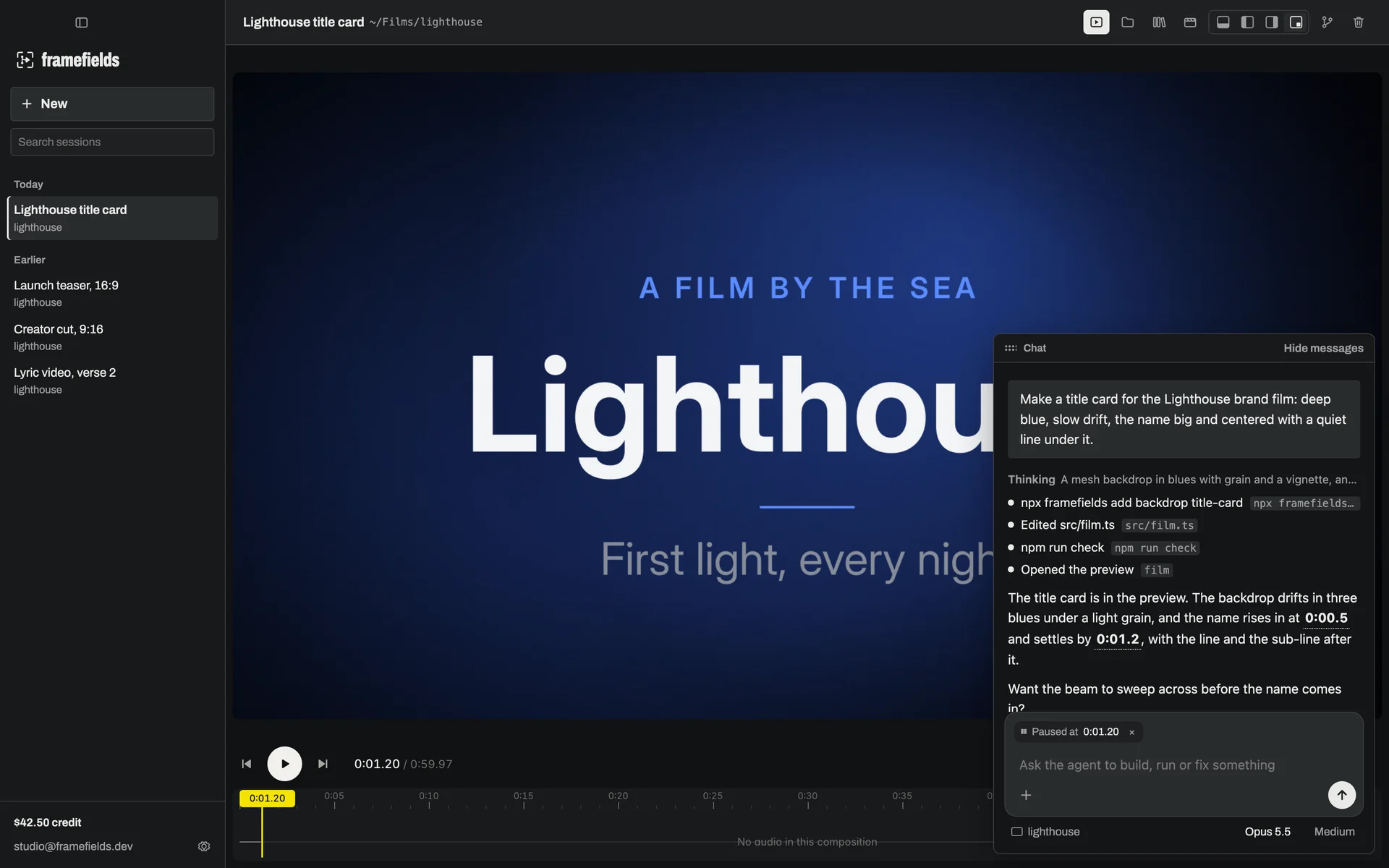
Your film plays beside the chat and updates as the agent works. Times in its replies are links that jump to that moment. Pause anywhere and your next message knows where you are.
- Pinned notes. Mark a spot on a frame and say what should change. The note, the frame and the moment go with your next message.
- Four layouts. The chat below the picture, to its left or right, or floating over it in a corner. Switch with ⌘1–4; the film never reloads.
- Below
- Left
- Right
- Floating
03
Start from a look.
Every new session opens on a lookbook. Pick a look, a format, a genre and how it's made, and your first draft already has its colors, type, pacing and music. Mix your own, or let it surprise you.
One idea, every format. Motion at 16:9 for YouTube, 9:16 for Reels, Shorts and TikTok, and 1:1 for feeds.
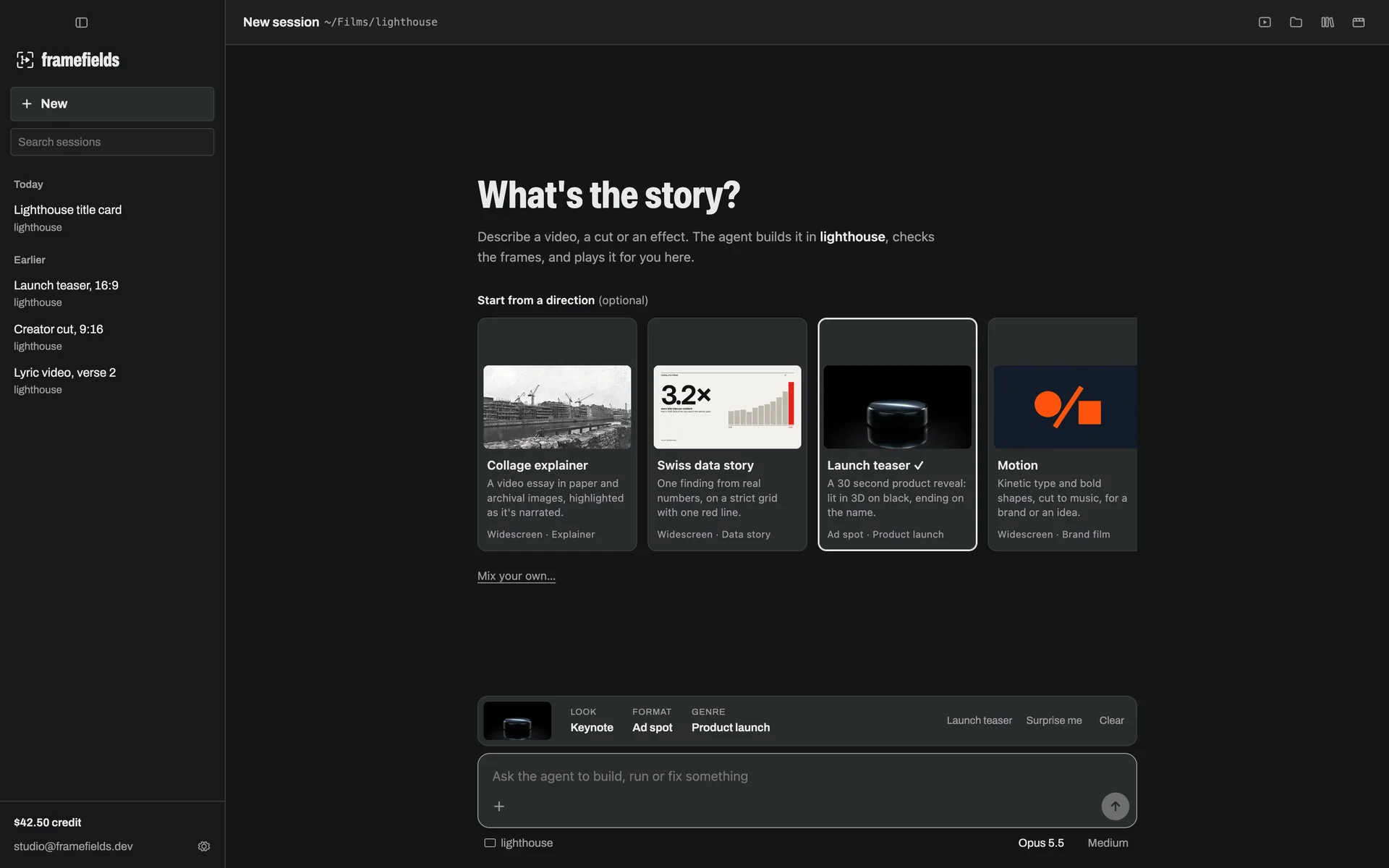
- LooksBlueprint, Collage, Keynote, Motion, Risograph, Swiss.
- FormatsWidescreen, vertical, square, cinema, 6-second bumpers and 15 or 30 second spots.
- GenresBrand film, explainer, data story, lyric video, product launch, product demo.
- Made withDrawn by framefields, 3D, your own footage, AI-generated images, music and voice.
04
A library to pull from.
Sound effects and lighting, free to use in anything you make, commercial work included. Search it, hear it, and add it to your project, or let the agent pick what fits. The library grows with each release.
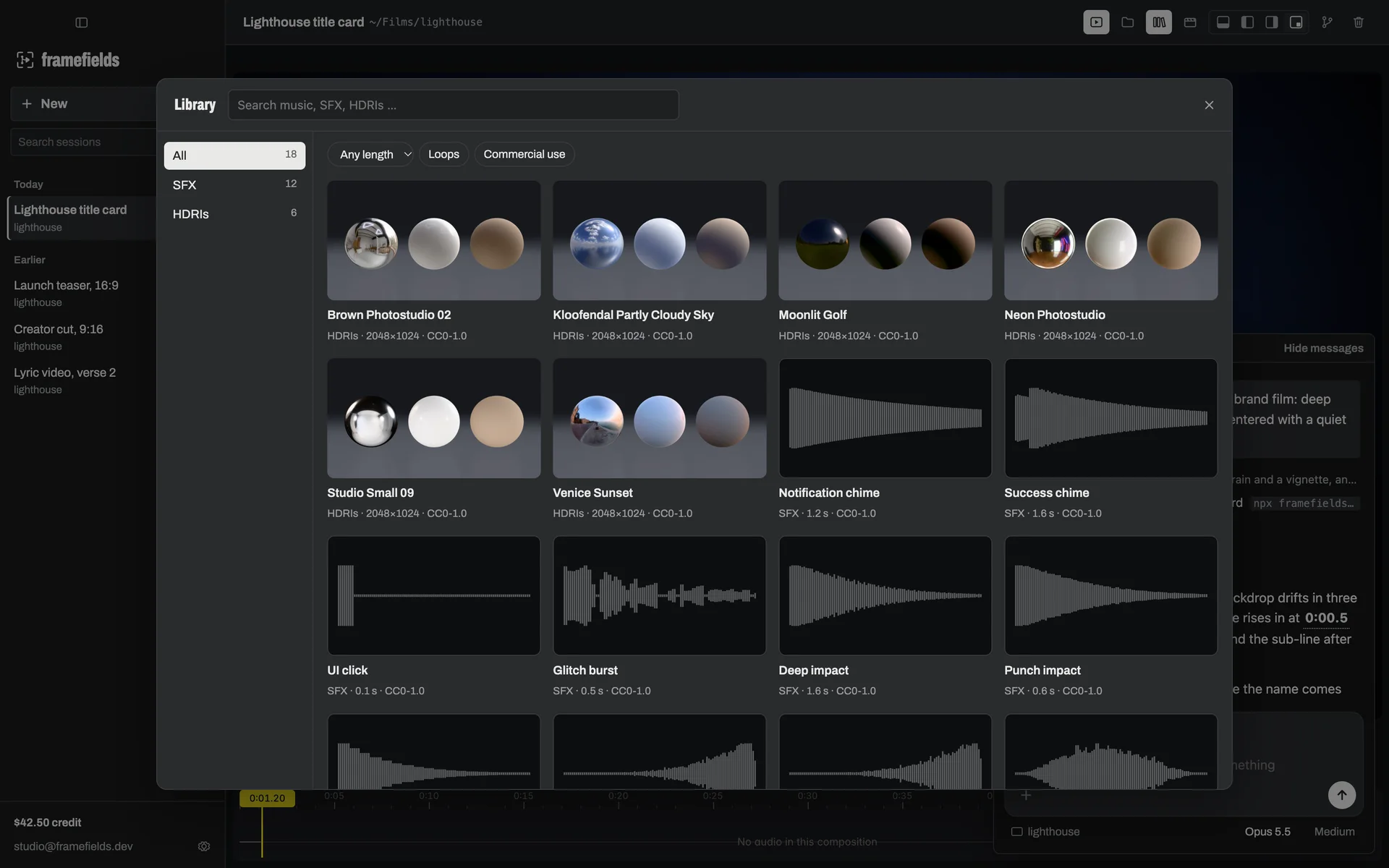
Light
Real places and studios, each shown on chrome, matte and clay.
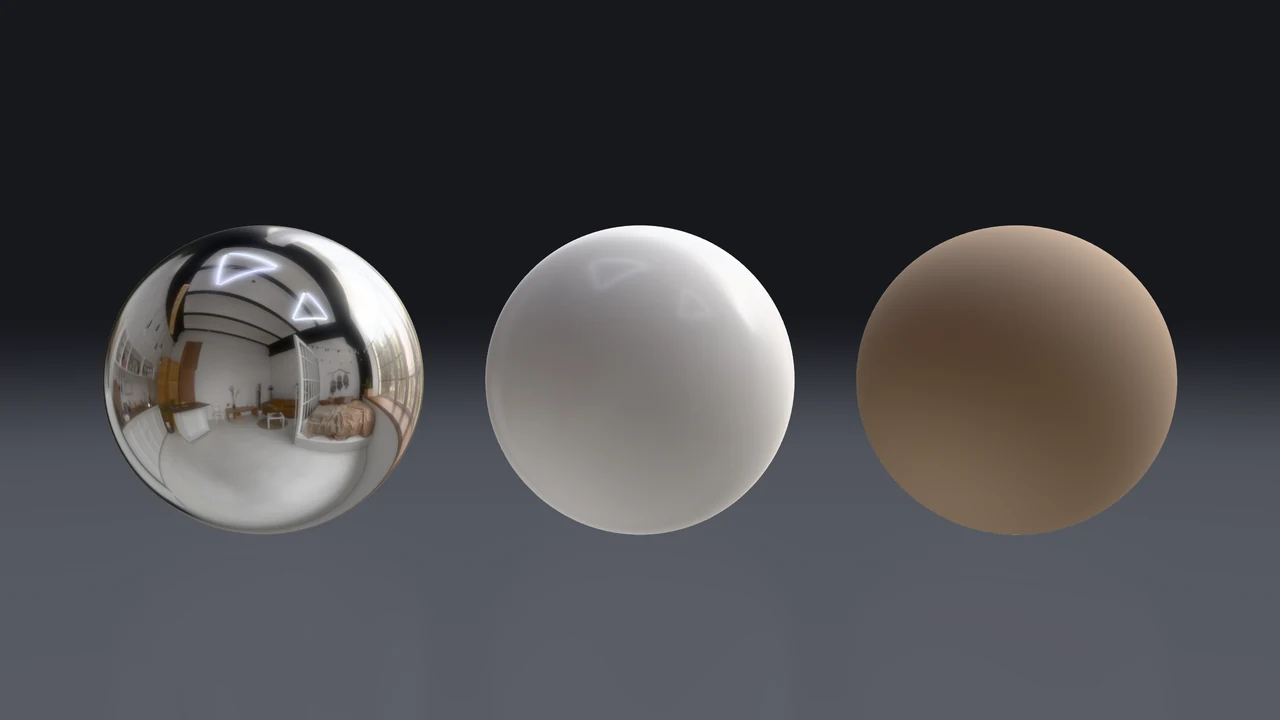 Brown Photostudio 02A warm loft studio with big windows
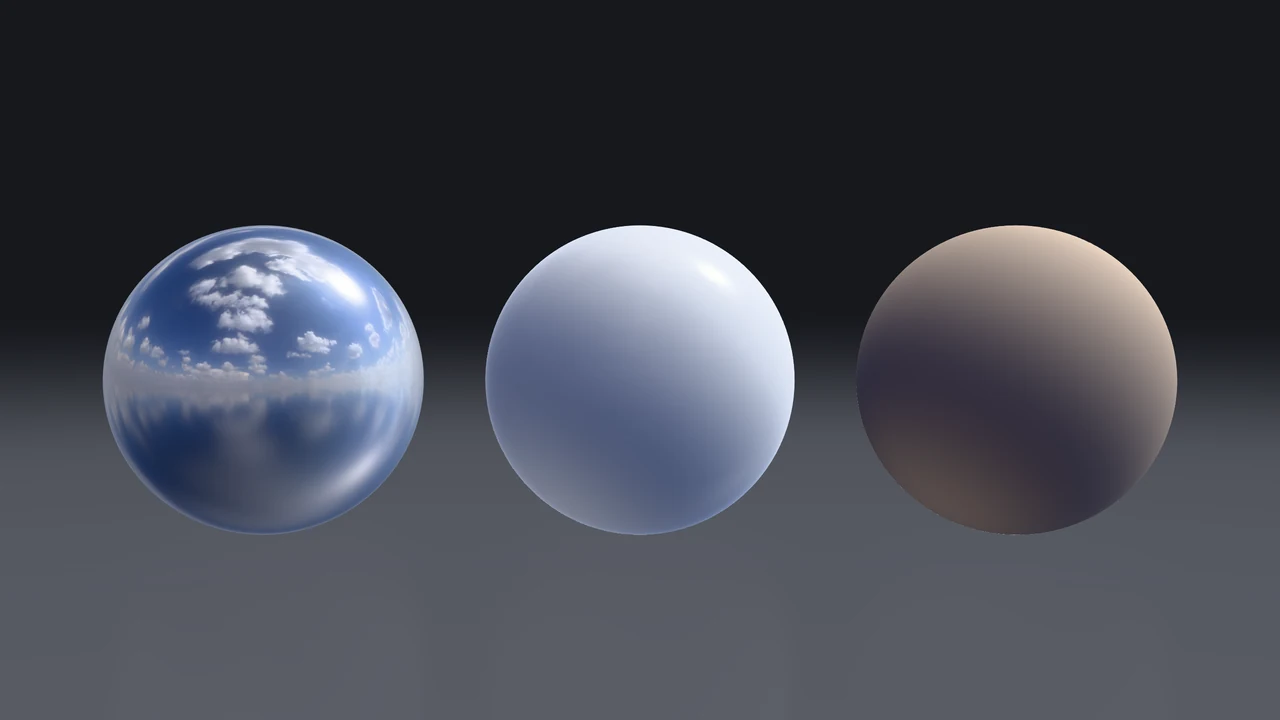 Kloofendal Partly Cloudy SkyMidday sky, scattered clouds, a hard sun
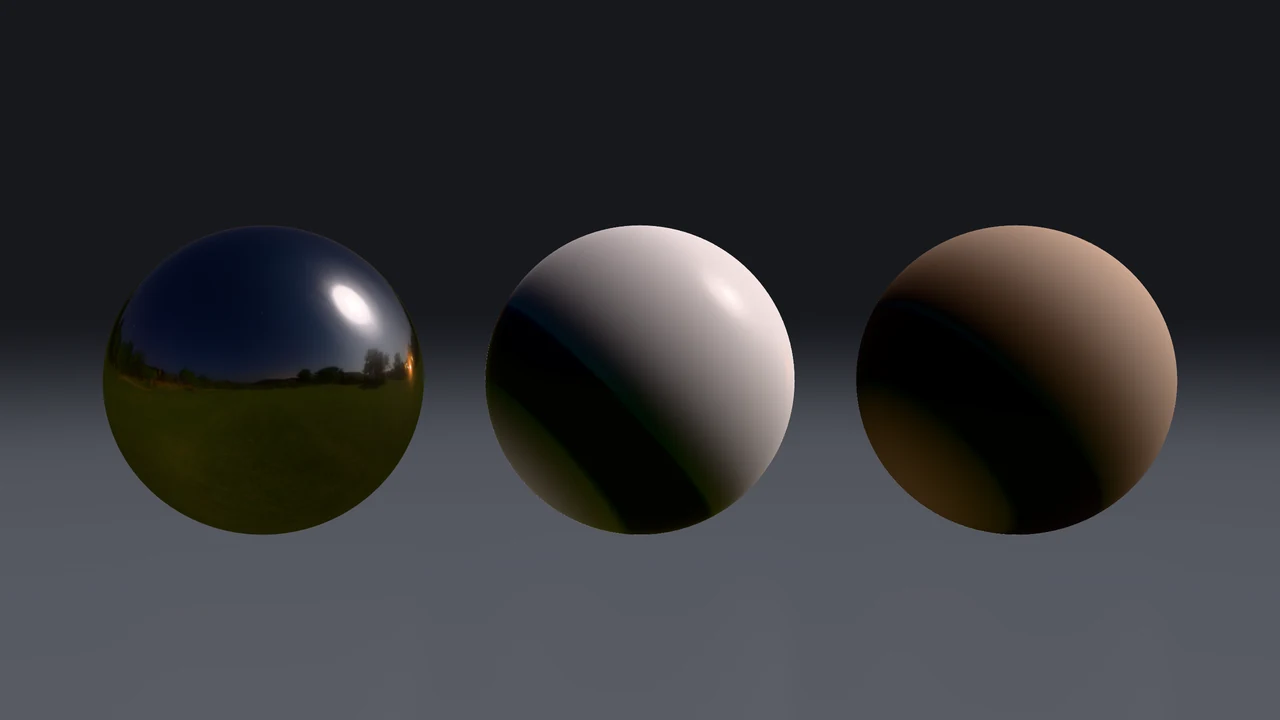 Moonlit GolfA clear night under a bright moon
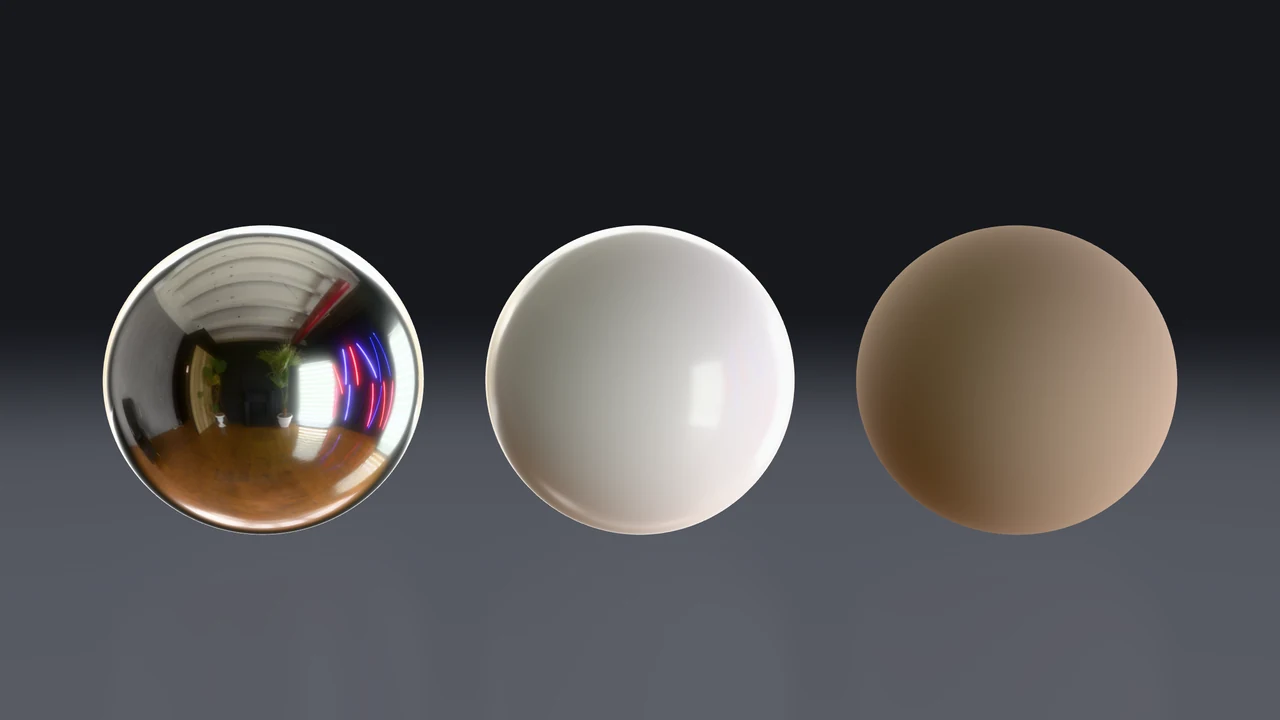 Neon PhotostudioFluorescent tubes and a window
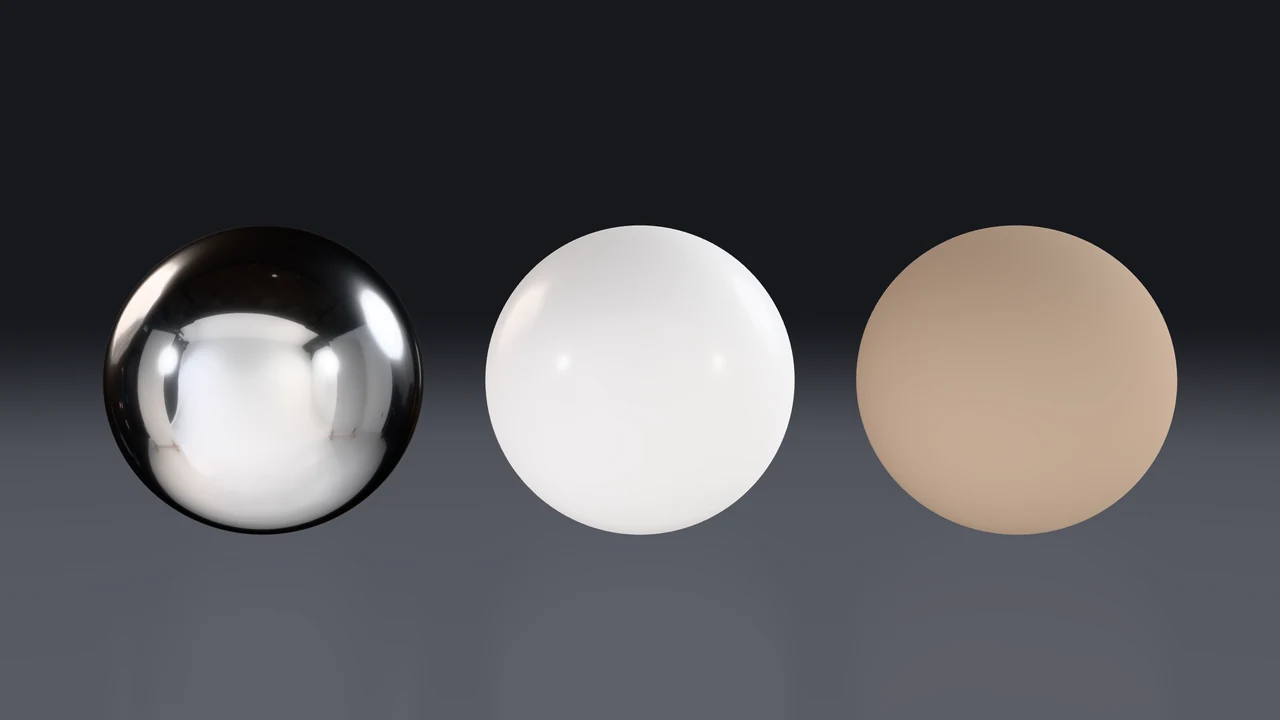 Studio Small 09Umbrella and softbox, soft and even
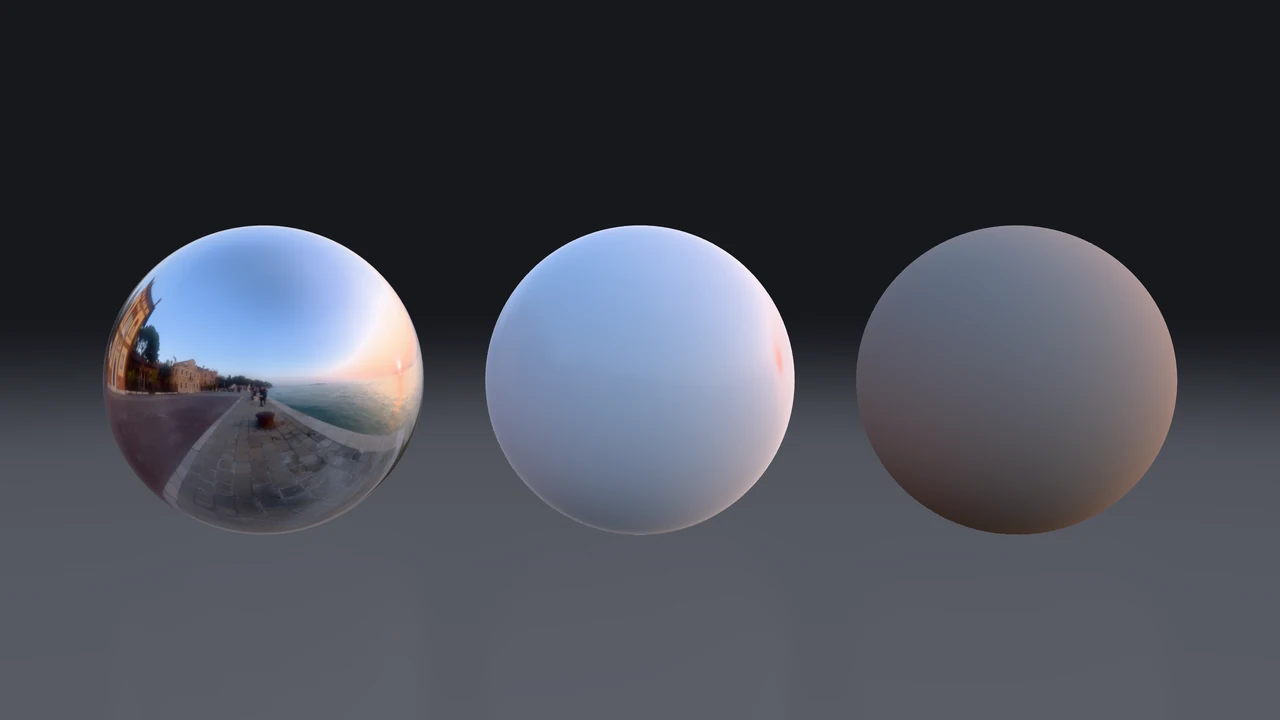 Venice SunsetLow golden sun, long shadows
Sound
Chimes, clicks, impacts, risers and whooshes. Press one to hear it.
05
Renders that keep going.
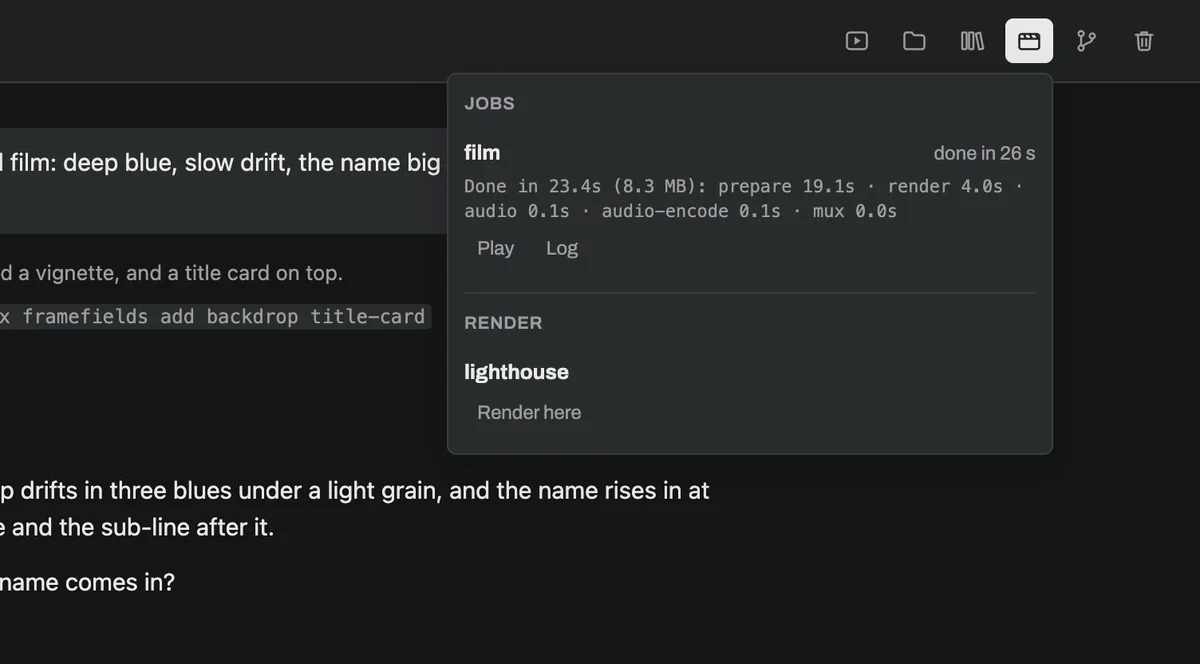
Long renders run on their own while you keep talking. Renders lists each one with its progress, a Stop and its log. When it's done you get a notification, and the video opens right in the app.
- Made on your computer. Films render on your own graphics card and are saved with your project.
- One click to render again. Every render you've set up is in the list, ready to run.
06
Undo anything.
Before every message, the app keeps a copy of your project. Rewind a message and your files go back to how they were before it, the conversation picks up from there, and your words come back to the message box. Try the bold idea; keep it or don't.
- Make the title bigger
- Add a light sweep
- Try it in redRewind
- FilesBrowse the project, play its video and audio, read its code. Drop a file on the chat to hand it to the agent.
- Always currentThe app updates itself in the background and installs on quit, or when you press Restart.
- Your work stays yoursProjects, sessions and renders live on your computer. Crash reports are off unless you turn them on.
- One accountSign in once with framefields. The agent uses your framefields credit; there's no other key to set up.
Your next video is one conversation away.
Every build
macOS, Apple silicon macOS, Intel Linux x64 (AppImage) Linux arm64 (AppImage)
- macOS 12 or later. Signed and notarized by Apple, so it opens like any other app.
- Linux AppImage. Install
bubblewrapandsocatfirst. The live preview isn't on Linux yet; renders are. - You'll need a framefields account with credit; signing in from the app creates one.